
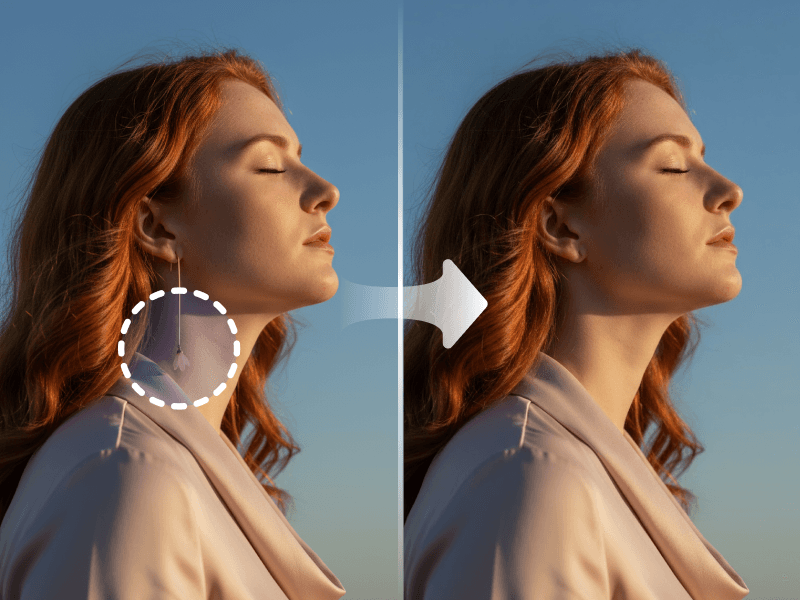
Manual Removal vs AI Eraser
❌ Traditional Challenges
- Unwanted objects ruin perfect shots
- Manual removal requires Photoshop expertise
- Content-aware fill often leaves artifacts
- People or text in background distract
- Wires, logos, blemishes need removal
✅ FlyArt AI Solution
- Remove anything with simple brush stroke
- No Photoshop skills needed
- Clean, natural-looking results
- Perfect for product and portrait photos
- AI fills removed areas intelligently
Real Success Stories
See how businesses are transforming their workflow with AI
Real Estate Agency
Property Marketing
Before
1 hr/image
Photo editing
After
30 sec/image
AI eraser
Time Saved
99.2%
"We remove furniture, people, signs, and clutter from property photos instantly. Listings look pristine."
E-Commerce Seller
Product Photography
Before
Manual editing
Watermark removal
After
One-click removal
AI eraser
Productivity
+200%
"Removing distracting elements from product photos used to take hours. Now it takes seconds and looks perfect."
Powerful Features
Professional-grade object removal with AI-powered precision
Advanced context-aware AI inpainting
Intelligent texture and pattern matching
Automatic perspective preservation
Multi-object removal in single session
Precision brush controls with zoom
Real-time preview before applying
Batch processing for multiple images
High-resolution output up to 8K
Related AI Tools
Explore more powerful AI tools for e-commerce
Background RemoverBackground ChangeVirtual Try-OnColor ChangeFace RetouchHand FixHand Held ProductHD UpscaleImage to VideoAI MannequinModel Replacement VideoMulti AvatarMulti Image VideoObject RemovalOutfit BlendPattern RepairPose VariationProduct SwapQuick EditReal ModelScene VariationSingle AvatarSmart ExpandSmart RetouchVideo AvatarVideo Clone
Frequently Asked Questions
Everything you need to know
Our AI eraser can remove virtually anything from your images including people, unwanted objects, text overlays, watermarks, logos, power lines, blemishes, stains, dust spots, shadows, reflections, and distracting elements. The tool works on both small details like skin blemishes or scratches and large objects like vehicles, furniture, or entire buildings. It handles temporary elements like tourists in landscape photos, date stamps from old photos, or branding elements you want to eliminate. Even complex subjects with irregular shapes or partially transparent elements can be cleanly removed with intelligent background reconstruction.